INDEX / How To: Report Delivery Status for Initiatives
Step 1: Go to Status Tab
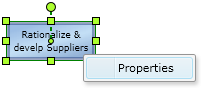
Right click the proper Initiative and click the "Properties" option.After that, click on the "Status" Tab.
Step 2: Commit, create or edit a status report
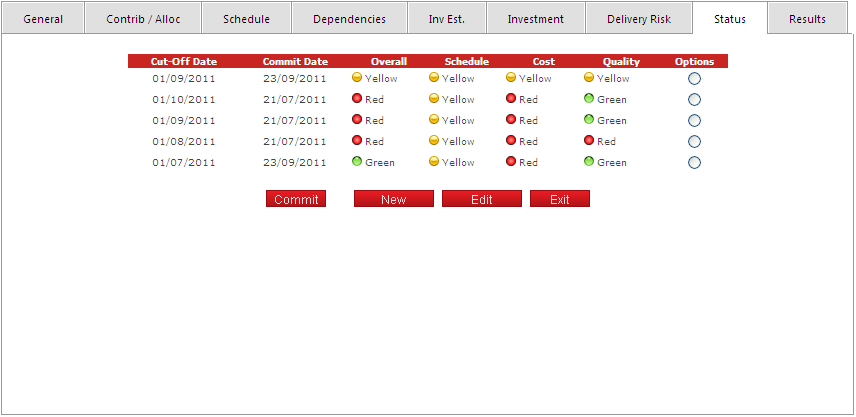
In this screen you can.- Create a new status report.
- Edit a status report that has not been committed.
- Commit a status report (submit, no more changes allowed).
Step 3: Assign status values
Consider the following rules for each field:The overall status is calculated based on the schedule, cost and quality statuses, using the Priorities defined in the General tab.
The schedule status is calculated automatically when there is a baseline and a planned date for delivery. Otherwise it can be defined manually.
The cost status is calculated automatically when there is a baseline and a planned investment. Otherwise it can be defined manually.
Quality status can only be defined manually.
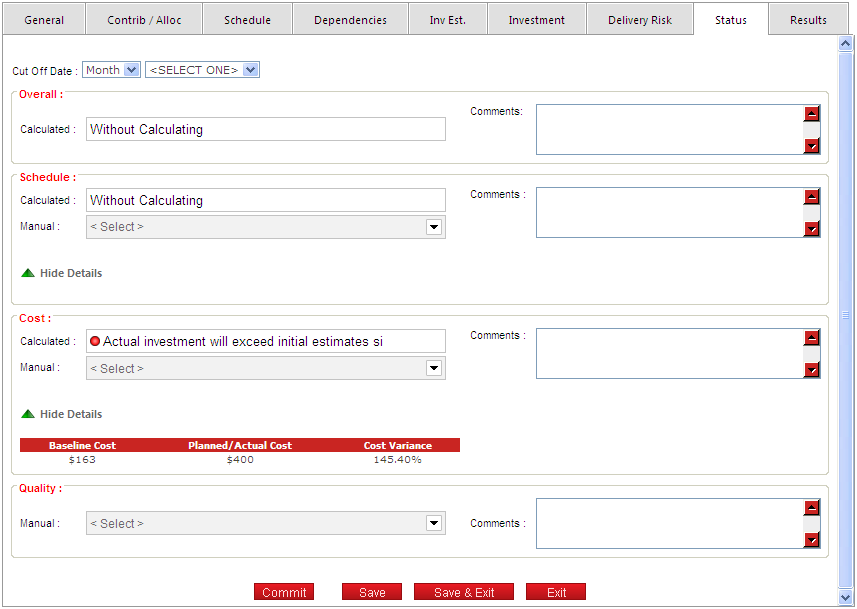
Click the "Save" button to apply the changes.