INDEX / How To: Capture Metrics for Business Outcomes
Step 1: Go to Metrics Tab
Right click the proper Business Outcome and click the "Properties" option.After that, click the "Metrics" Tab.
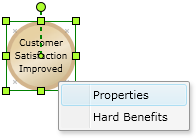
Step 2: Assign Metrics values
Set the proper values on every field.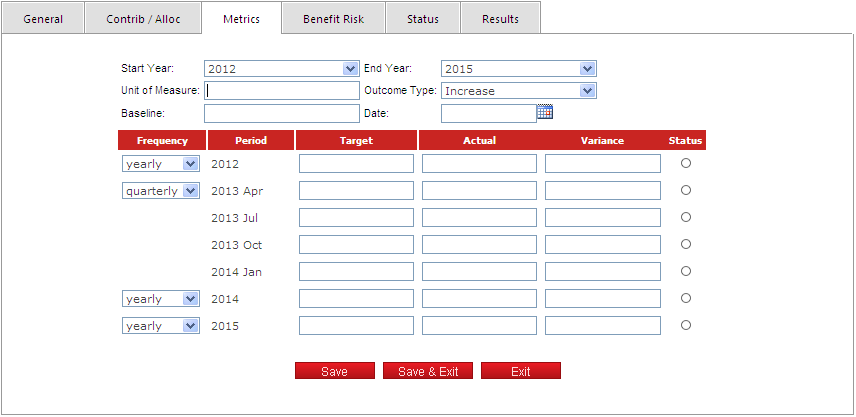
Consider the following rules for each field:
| Header | |
|---|---|
| Field | Description |
| Responsible | Person responsible for defining the metric, capturing the baseline, targets and measurements. |
| Start Year | It can not be less that the Business Plan's Start Year. |
| End Year | It can not be greater that the Business Plan's End Year. |
| Unit of Measure | This is a free-form field to describe the unit of measure (example: new customers signed/year). |
| Description | Used to capture more information required to define the metric. For the same example, this could ibe: “Does not include inactive customers, only net new”. |
| Outcome Type | Outcome Type. It has two values: Increase and Decrease. This defines the polarity of the metric: for an increase type, measures should be at or above the target |
| Baseline | Represents the current measurement for the metric. |
| Date | Date when the baseline was measured. |
| Detail List | |
|---|---|
| Field | Description |
| Frequency | Frequency of the metric. It has two values: Yearly and Quartely. |
| Period | The year or quarter, depending on the selection. |
| Target | Target value for the measurement. |
| Actual | Actual value measured. |
| Variance | Actual minus Target. |
| Status | This is a calculated value based on the variance. |
Click the "Save" button to apply the changes.