INDEX / How To: Estimate Benefits from Business Outcomes
Step 1: Go to Benefit Risk Tab
Right click the proper Business Outcome and click the "Hard Benefits" option.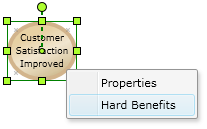
Step 2: Assign Benefit values
Set the "First year of benefits".
Add the proper "Business Goals" and "Drivers".
1. Select the Business Goal.
2. Select the Driver
3. Click the "Add" button.
2. Select the Driver
3. Click the "Add" button.

Assign the proper values for each Business Goal and Driver.
| Header | |
|---|---|
| Field | Description |
| Brief Description | It can not be less that the Business Plan's Start Year. |
| Calculation of Benefits | Set the proper values for every parameter. |
| Time Frame | Time Frame |
| Confidence | Confidence. It has 3 values: Almost certain, Highly likely and As likely as not. |
| Vectors for growth of the benefit | Vectors for growth of the benefit |
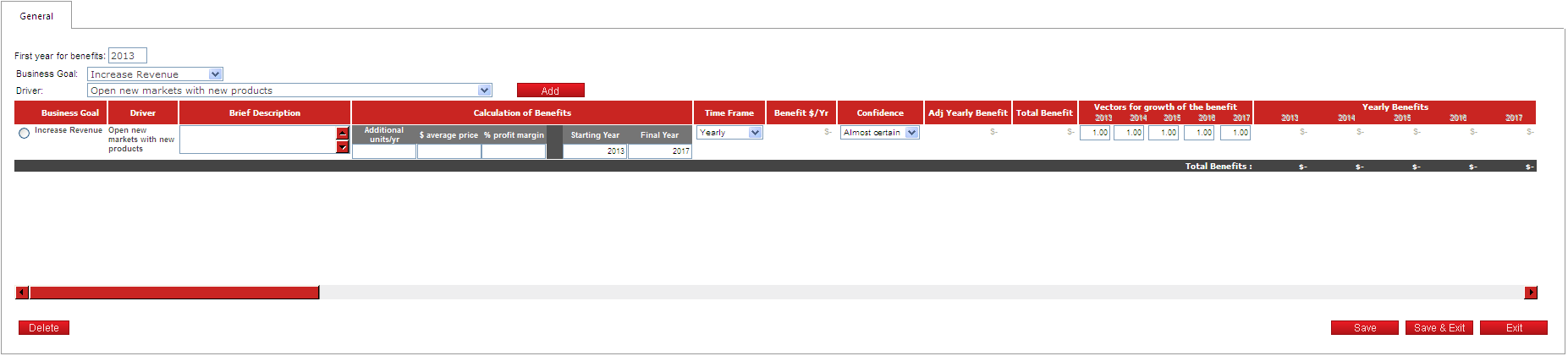
Click the "Save" button to apply the changes.