INDEX / How To: Estimate Investment for Initiatives
Step 1: Go to Estimate Investment Tab
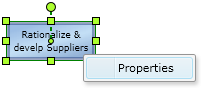
Right click the proper Initiative and click the "Properties" option.Then, click the "Inv Est." Tab.
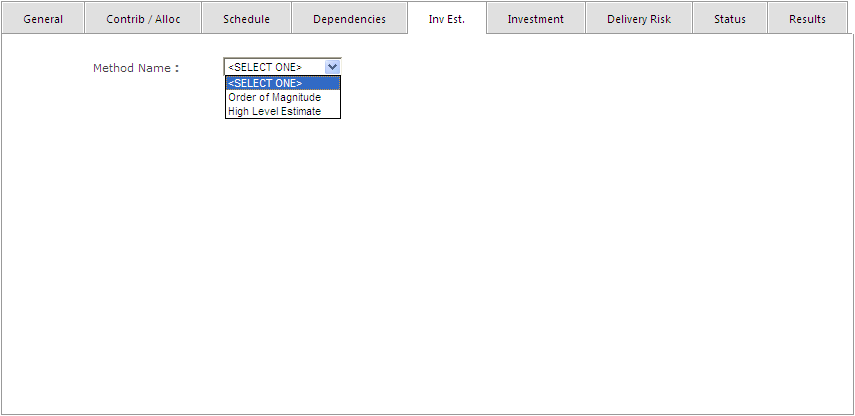
Step 2: Select the proper Estimation Method
Select one of this methods:| Method | Description |
|---|---|
| Order of Magnitude | Provides a rough estimate (+100/-50% approximately) ideal for early stages. |
| High Level Estimate | Provides a better estimate (+50/-25%) once more information is available. |
Step 3.a: Order of Magnitude
For each type of resources, select the option that better describes the expected amount of resources.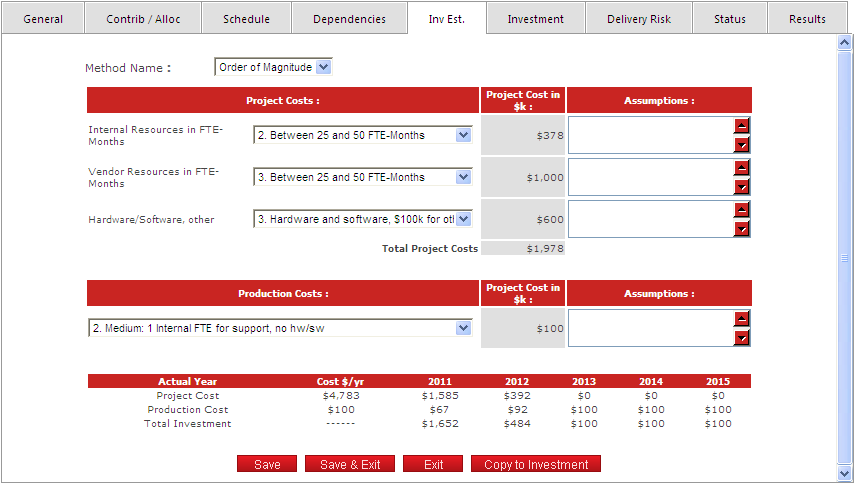
Step 3.b: High Level Estimate
Set the proper values on every field. Add as many resource types as you need to, to reflect the information you have.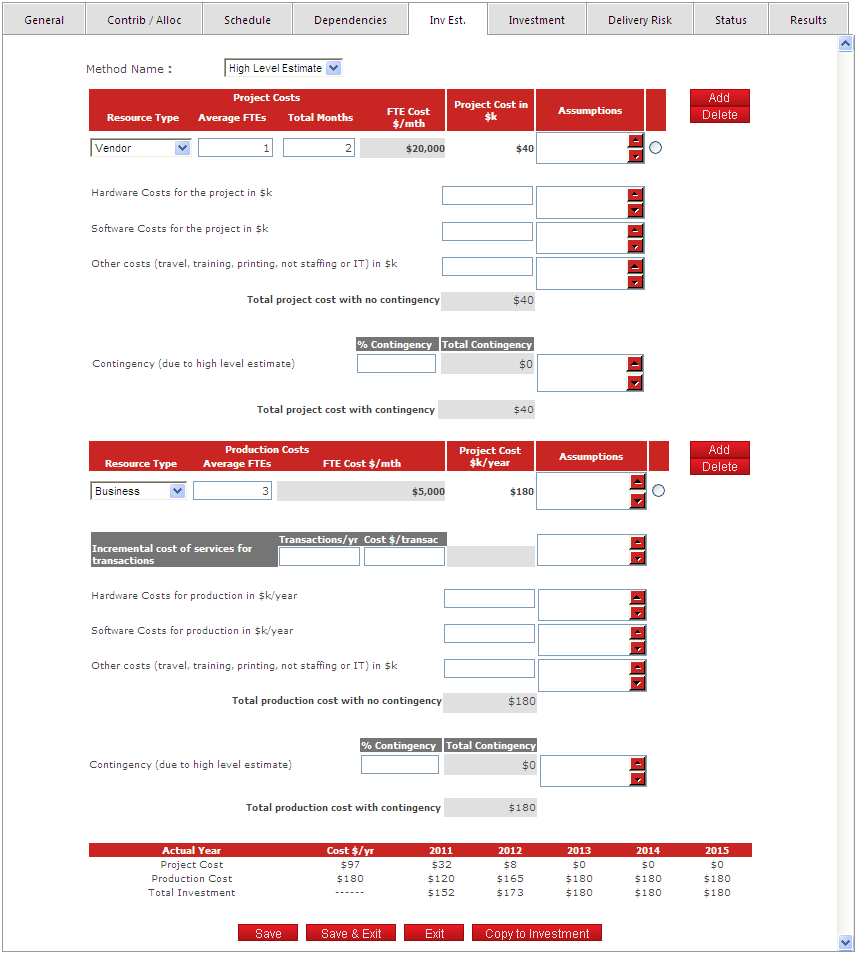
Click the "Save" button to apply store the data. This estimate is stored until replaced by a new one.
If you want to use the estimate just captured as the Investment data for the initiative, select “Copy to Investment”.