INDEX / How To: Link Multiple Layers
Considerations
To create a link between symbols that belong to different layers you must consider the following:- First, you need to consider the direction of the connection between the symbols, and situate on the layer that is receiving the connection.
- Second, you must import the symbol you want to link, from the layer where it is located.
- Once the symbol is imported, you have to link it to the required symboloin the current layer.
- A layer can not be saved if it has an imported symbol with no link.
Step 1: Import a symbol
On the Result Chain menu go to "Edit" and then select the "Import" option.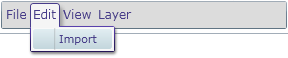
Search and select the symbol(s) that you wish to import.
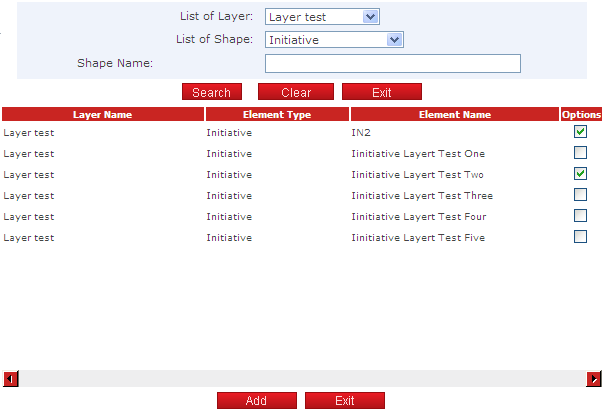
Click the "Add" button to finish.
Step 3: Link the symbols
To link two symbols, drag and drop the "x" mark from one symbol to another symbol.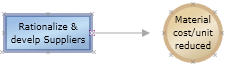
Click the "Save" button to apply the changes.