INDEX / How To: Adjust Contributions and Allocations
Step 1: Go to Contribution/Allocation Tab
Right click the proper symbol and click the "Properties" option.And, click the "Contrib/Alloc" Tab.
Step 2: Assign Contribution/Allocation values
This screen will present only the symbols linked to the symbol selected in the previous step.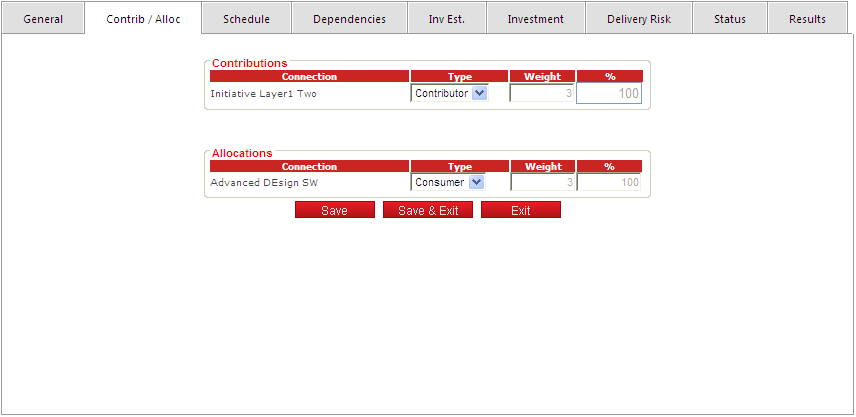
By default, all values are set to Contributor and Consumer, both with a weight of 3. As needed, adjust by selecting the proper type for each connection. Consider the following values:
| Connection Type | Weight |
|---|---|
| Main | 8 |
| Contributor (default value) | 3 |
| Marginal | 1 |
The weights are used to calculate the contribution percentage (value used in the inflows, risk and status propagations). Allocations are used to propagate outflows only.
Click the "Save" button to apply the changes.