INDEX / How To: Create a Results Chain

Step 1: Symbols

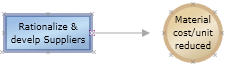
To create a Results Chain, just drag and drop the elements from the left panel to the working area.

You have the following available symbols:

Financial Outcomes
The most frequent are revenue increased, variable cost reduced and fixed cost reduced. This may vary by industry but the concept is the same.
Business Outcomes
Represent key metrics in the organization, which need to be significantly different than where they are today.
Business Capabilities
Define what the organization will be able to do that cannot do today, or do in a completely different way.
Technical Capabilities
Enable business capabilities, allowing the business to do things differently.
Initiatives
Are required to deliver technical and business capabilities. Initiatives in the Results Chain are equivalent to projects.
Assumptions
Assumptions are what hold the plan together: they are statements about the future that have uncertainty, but we take as facts in order to plan.


Step 2: Links

To link two symbols, drag and drop the "x" mark from one symbol to the other symbol.